
boringBar
a dock replacement for macOS
macOS Dock is built around apps, not windows. Multiple displays and desktops make it hard to track what's open where. boringBar keeps windows organized by desktop, with instant previews, one-click desktop switching, and pinned apps within reach.
Features

Current desktop, only
Shows only the windows on the active desktop for that display, so you stay focused on what is in front of you.
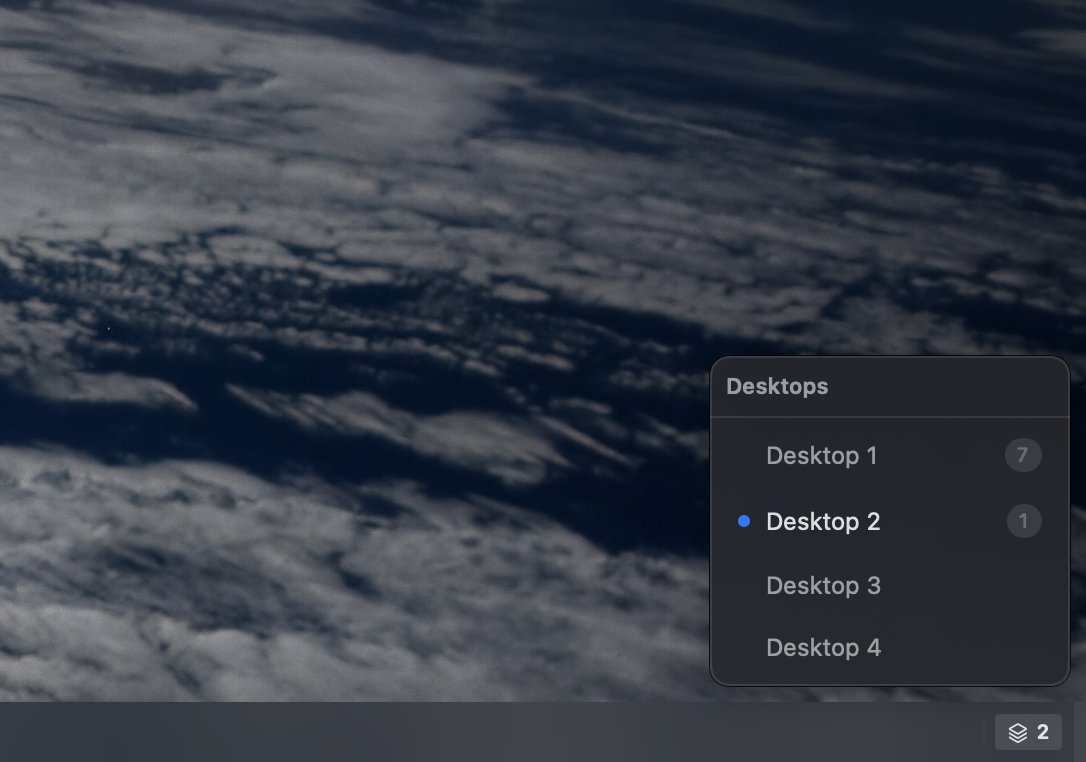
Desktop switcher
Jump to any desktop on the current display with one click, and see how many windows are open on each one.
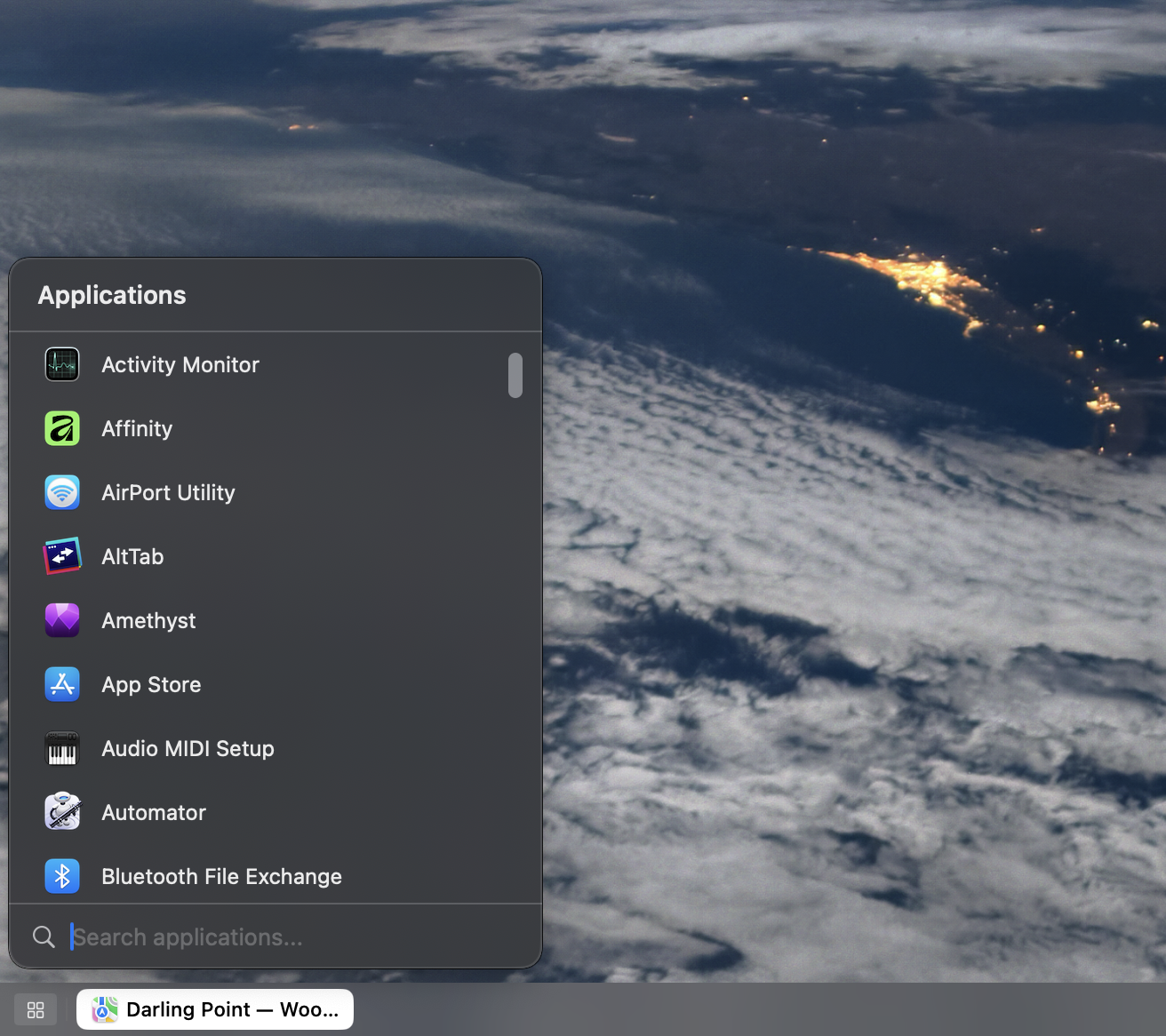
App launcher
Search and launch apps from a single list, then open it instantly with a configurable global shortcut.
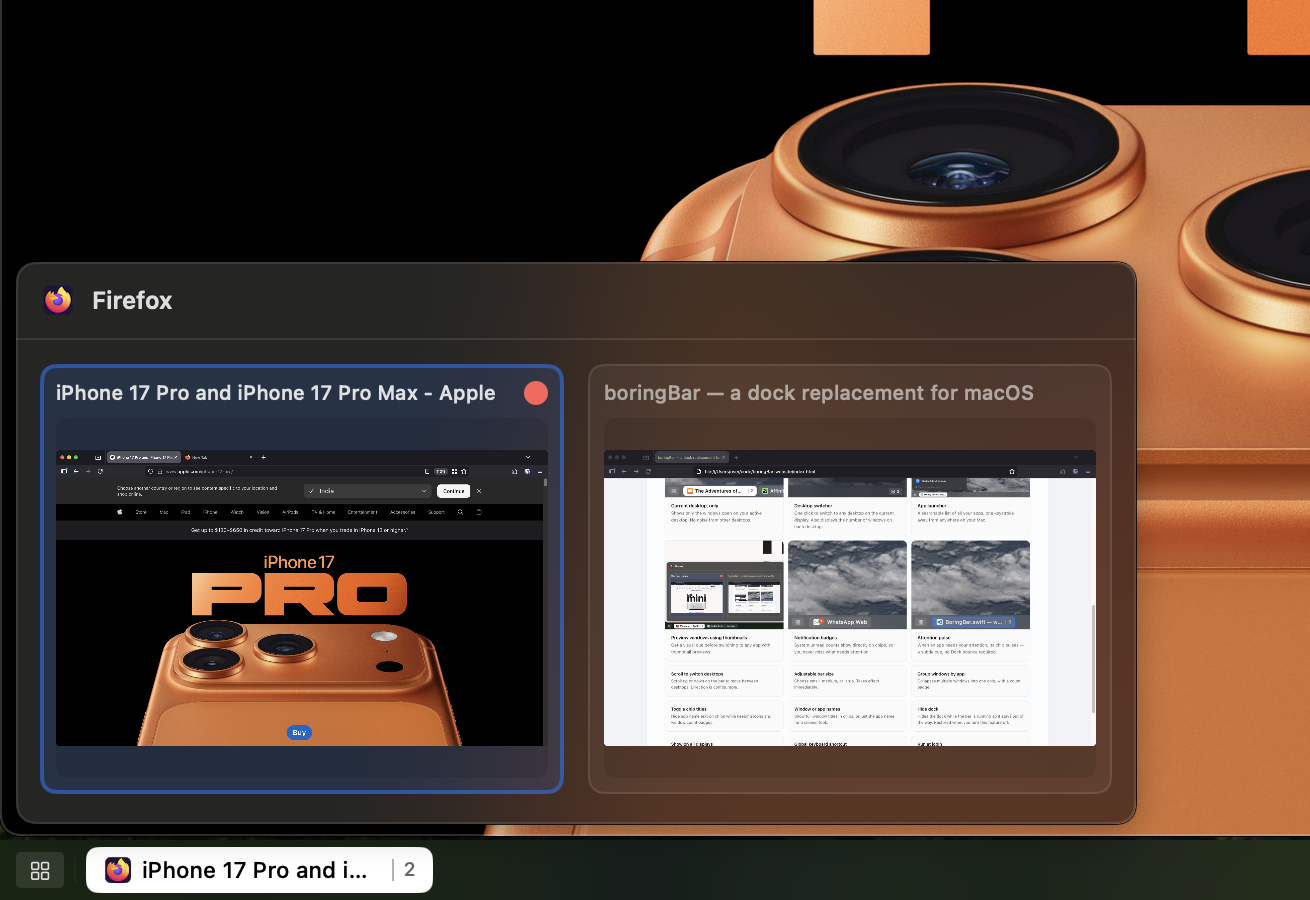
Preview windows using thumbnails
Hover a chip to preview windows before switching, so you can pick the right one faster.

Notification badges
Unread badges from macOS appear directly on chips, so important updates stay visible.

Attention pulse
When an app needs your attention, its chip gives a subtle pulse so you notice it right away.
Scroll to switch desktops
Scroll up or down on the bar to move between desktops. Direction is configurable.
Adjustable bar size
Choose small, medium, or large. Pick the size that suits you best.
Group windows by app
Collapses multiple windows into one chip, with a count badge.
Toggle chip titles
Hide app name text on chips while keeping icons and window count badges.
Window or app names
Show full window titles in chips, or just the app name for a cleaner look.
Hide dock
Keeps the Dock out of the way while you use boringBar, then brings it back when you turn the feature off.
Show on all displays
Can mirror bars across multiple monitors, including setups where the system setting "Displays have separate Spaces" is off.
Global keyboard shortcut
Assign any key combo to open the launcher from anywhere, with no app switching needed.
Pin apps on bar/app menu
Right click on any app in the bar to pin them to the bar itself or to the top of the application menu.